Over 91,000 live radio stations and every podcast you follow, in one player — with the alarm clock, the sleep routine and the real Top 100 charts the big radio apps never bothered to build.
Browser listening is free — no install, no account. The alarms, sleep routine and live rewind are in the app: 7 days free, then $2.99/month.
91,023Live stations
64Genres
10App languages
$2.99Per month
Live · 181.FM UK Top 40
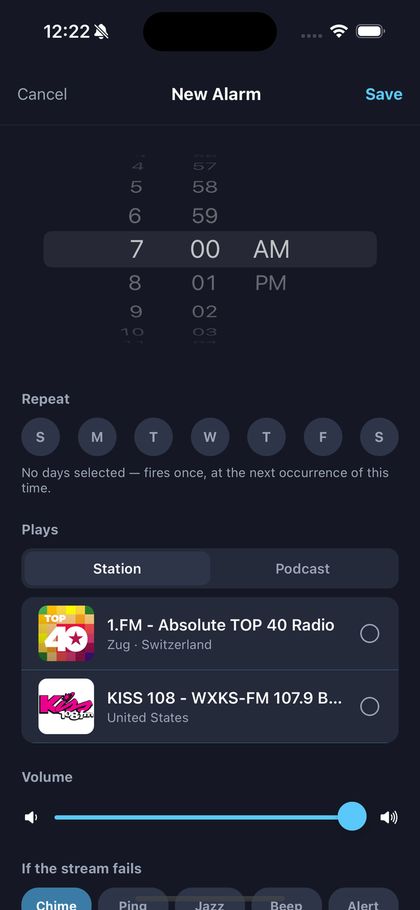
Alarm · 7:00 AM
#4 · Top 100 US
KEXP · SeattleBBC Radio 6 · LondonRádio Globo · Rio de JaneiroFIP · ParisWNYC · New YorkRadio Nacional · Buenos AiresJ-WAVE · TokyoNPO Radio 2 · AmsterdamKiss 108 · BostonRadio Deejay · Milan1.FM Absolute Top 40 · ZugY100 · Fort LauderdaleKEXP · SeattleBBC Radio 6 · LondonRádio Globo · Rio de JaneiroFIP · ParisWNYC · New YorkRadio Nacional · Buenos AiresJ-WAVE · TokyoNPO Radio 2 · AmsterdamKiss 108 · BostonRadio Deejay · Milan1.FM Absolute Top 40 · ZugY100 · Fort Lauderdale
A day with varostream
Nobody wants an app. They want the moment it fits into.
Radio isn't a library you browse — it's the thing that's on while you do something else. So we built the app around the five moments listening actually happens.
1
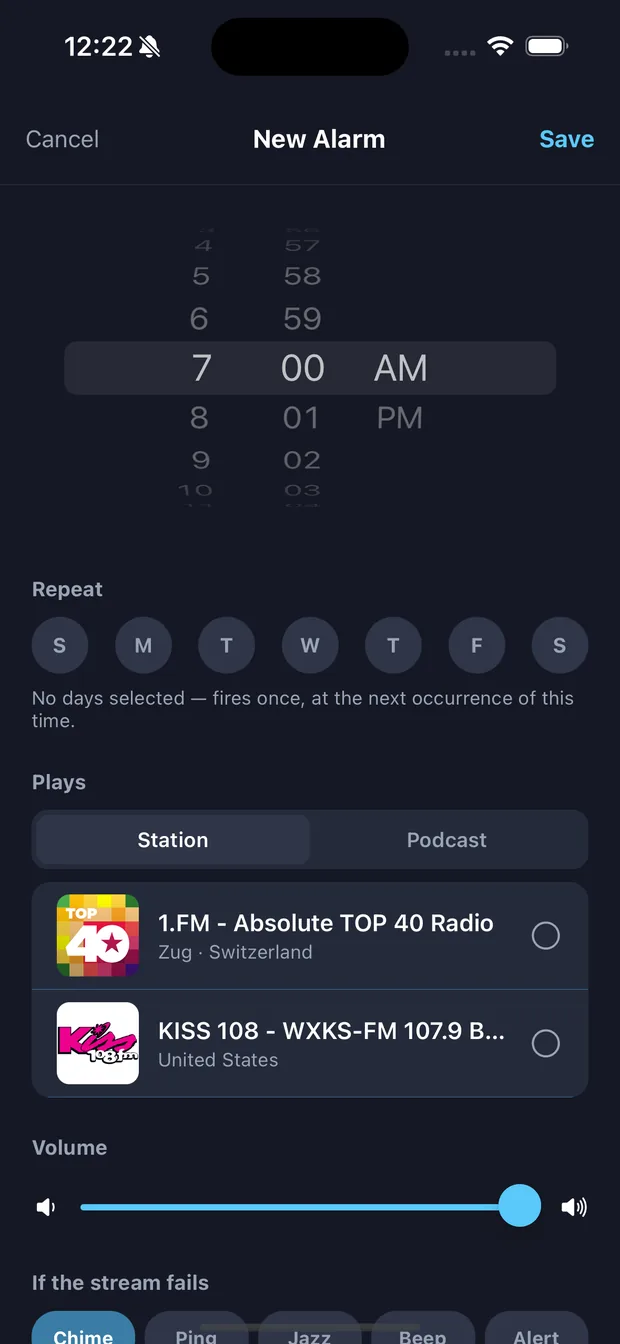
Your alarm is a radio station.
Wake to KEXP, to your hometown morning show, or to today's episode of the podcast you never miss — not a marimba. varostream verifies the stream the night before and keeps a chime in reserve, so your morning never depends on someone else's server staying up.
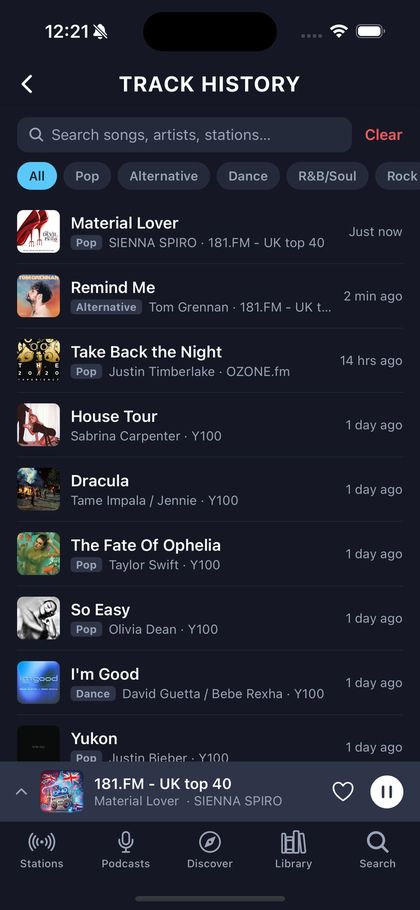
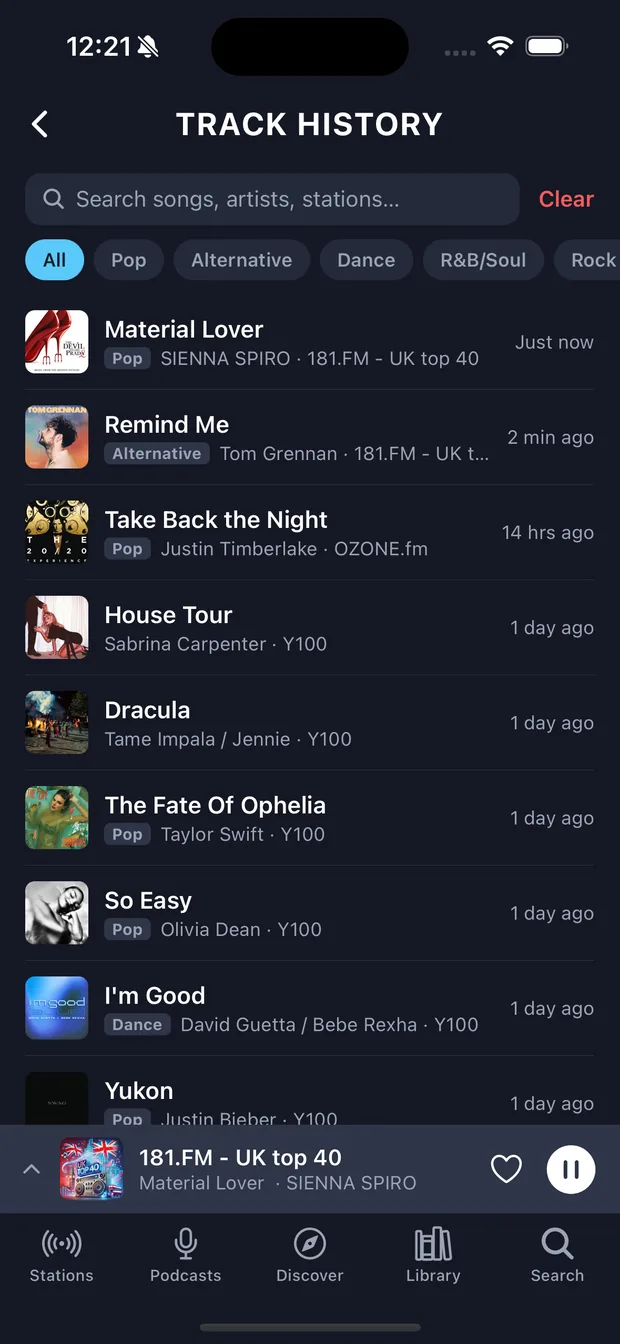
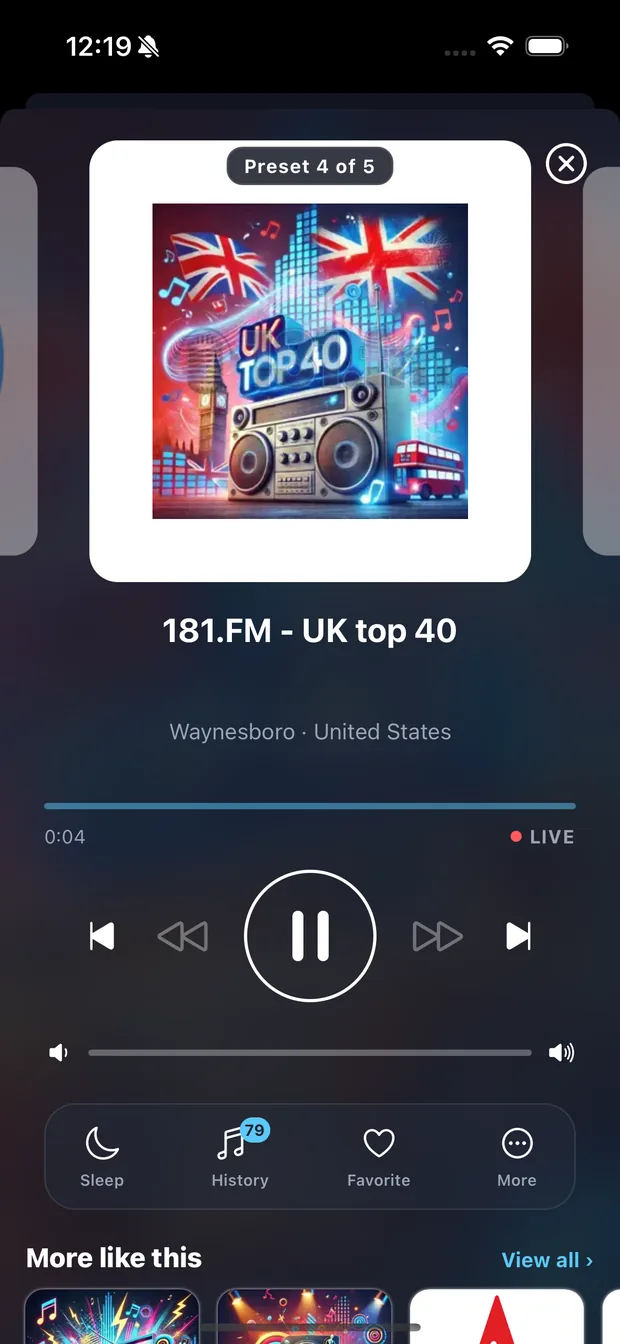
Open History to see everything the station played while you weren't quite listening — song, artist, genre, and a link straight into Apple Music or Spotify. And on stations whose streams support it, live rewind lets you pause the broadcast and skip back to hear the hook again.
Live song titles and history work in the browser. Rewind needs the on-device buffer and a station whose stream supports it — about 1,100 of the catalog do.
3
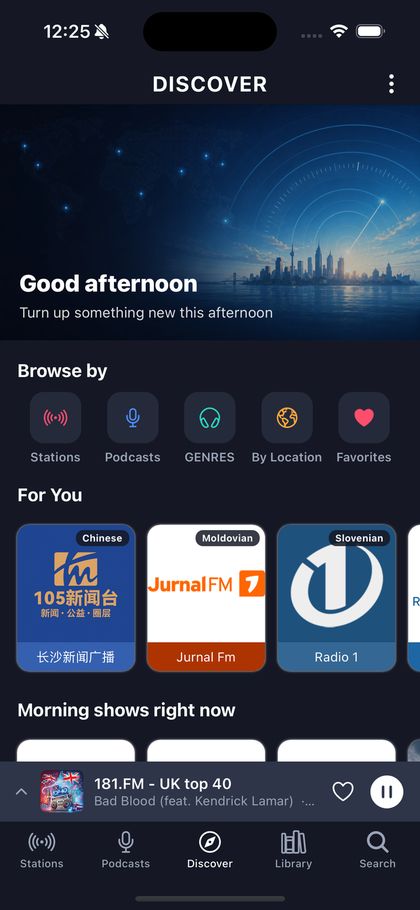
It's morning drive-time somewhere.
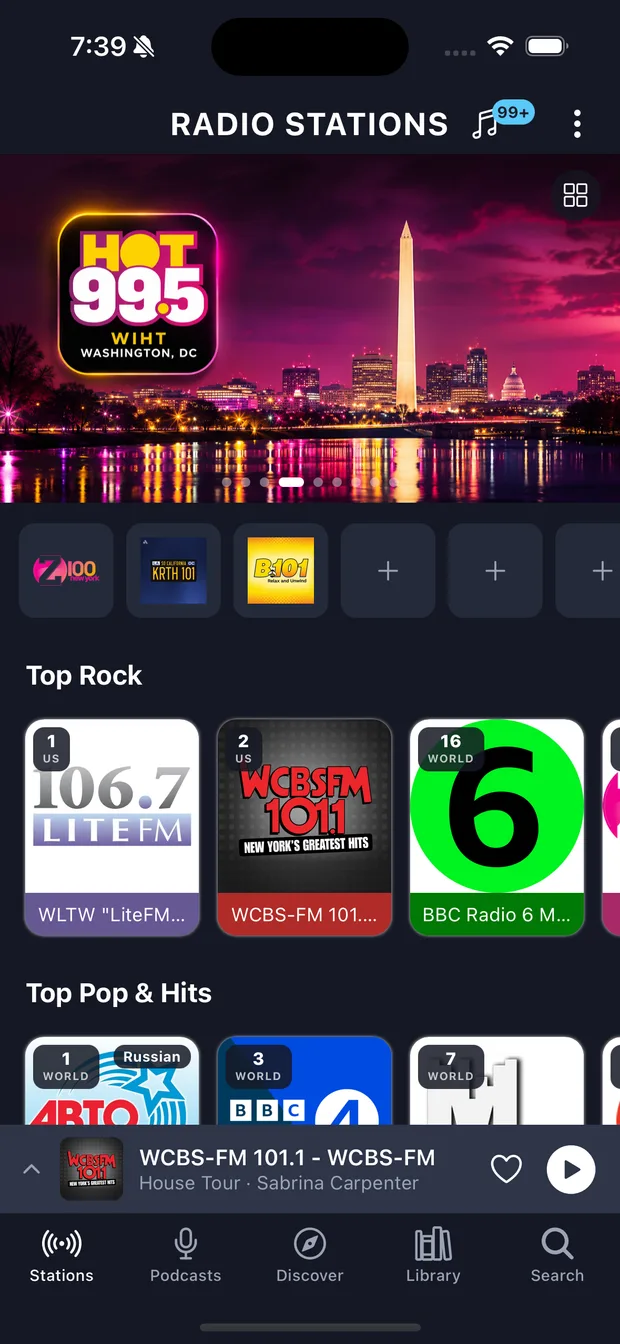
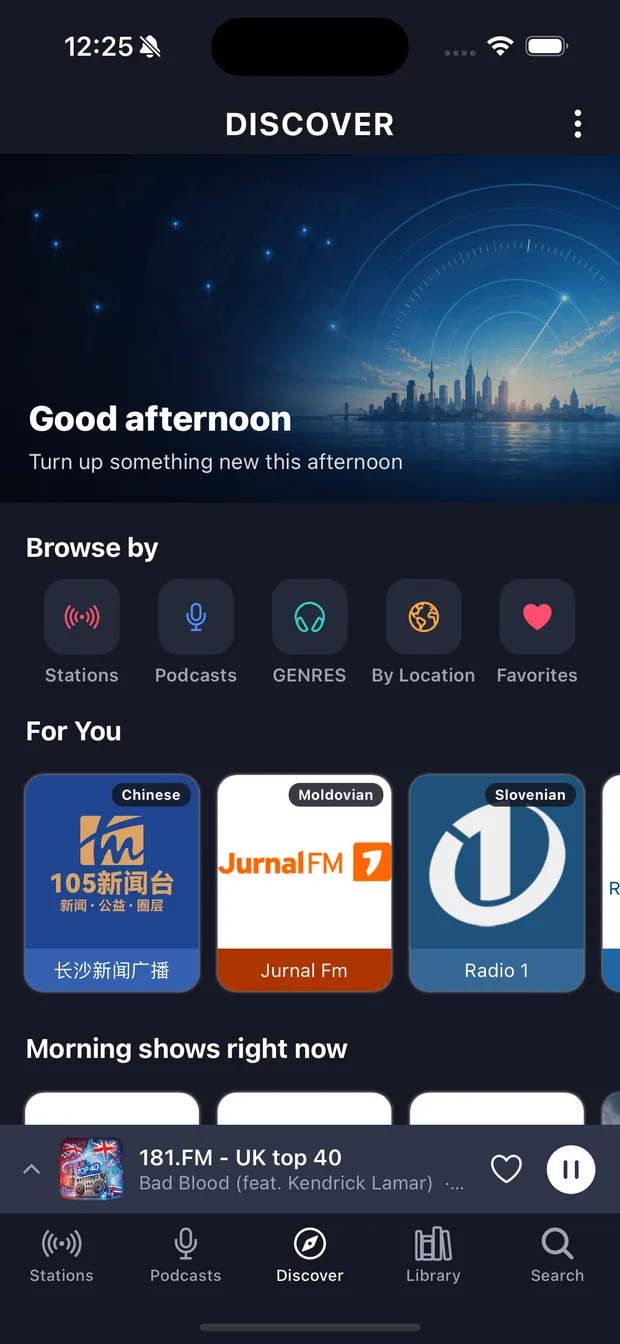
Discover browses by time of day, not just genre — breakfast radio in Tokyo while you're mid-afternoon, late-night jazz in Paris while you're at lunch. Or stay local: what's popular near you, radio from any city you care about, and "more like this" from any station you already love.
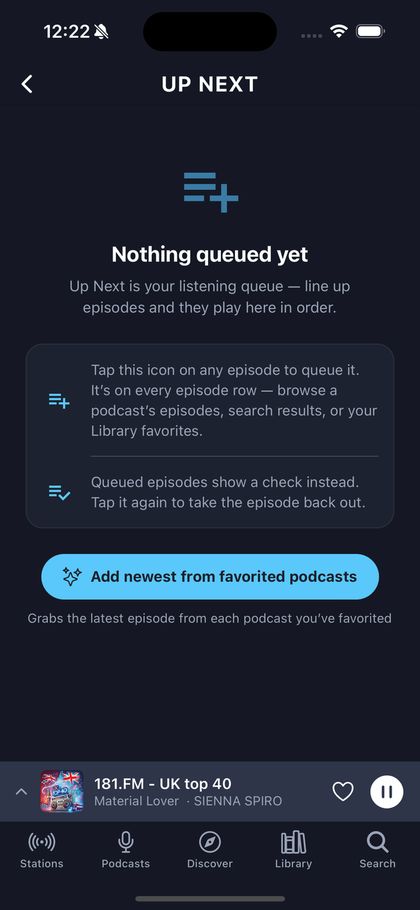
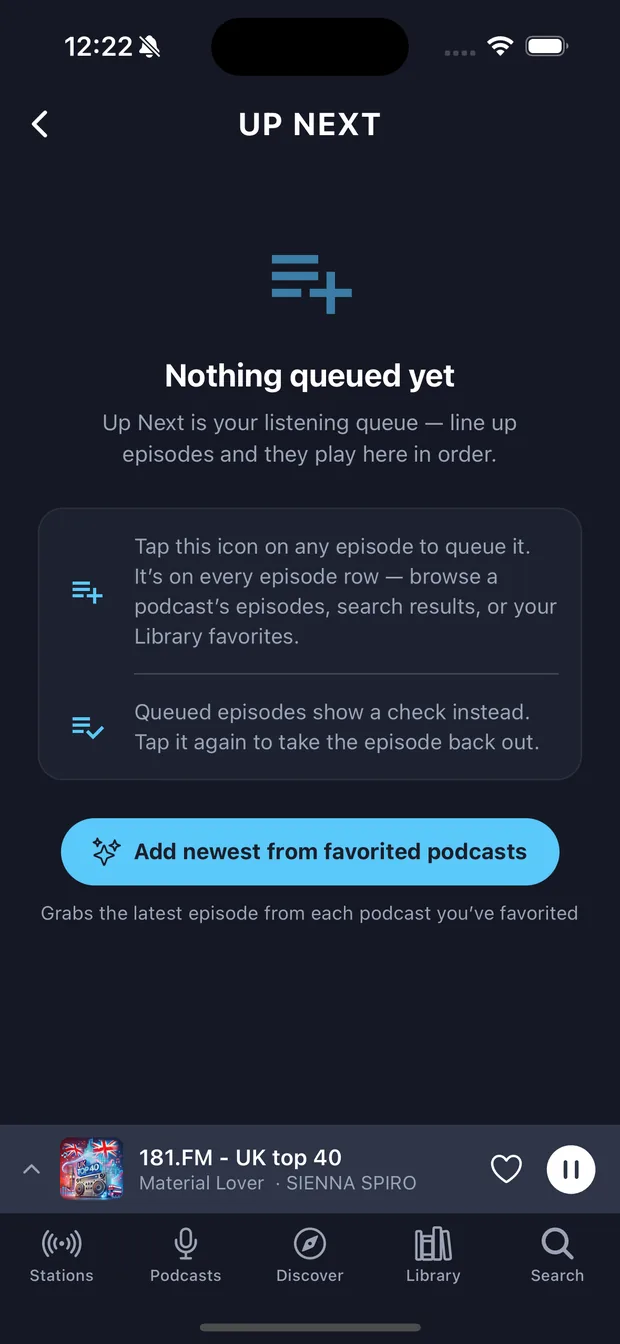
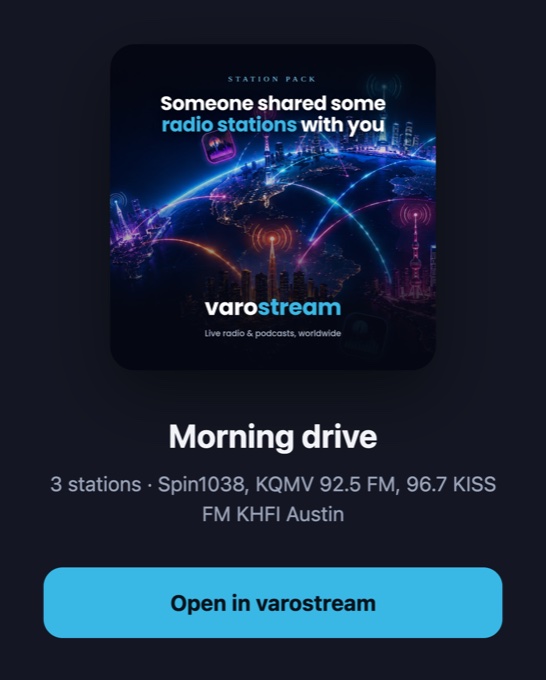
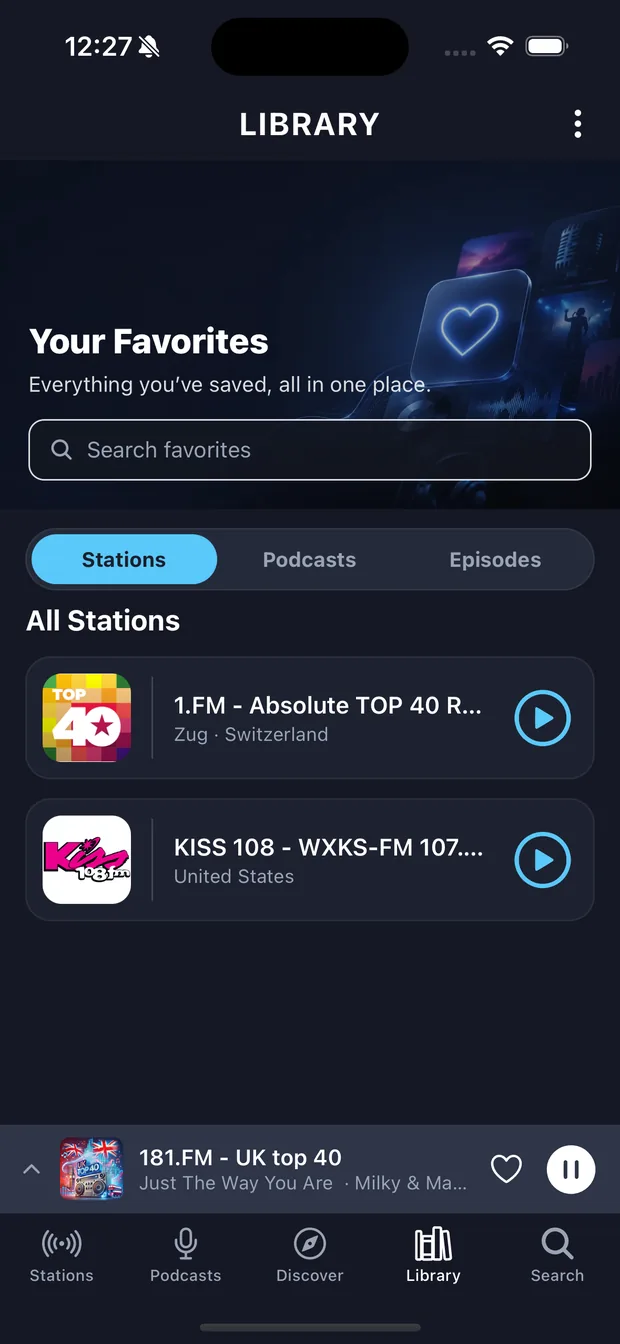
Up Next lines up episodes and plays them through, topping itself up from the shows you follow. When it runs dry, it hands back to a live station instead of going silent. And twelve preset slots sit on the home screen — car-radio muscle memory, on your phone, shareable with anyone as a pack.
The queue and shareable packs work in the browser. The twelve one-tap preset slots live on the phone’s home screen.
5
Fade out. Then wake up to it again.
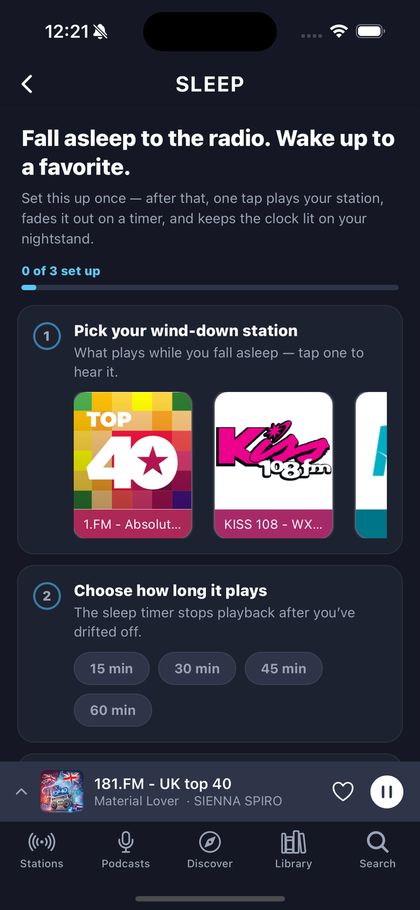
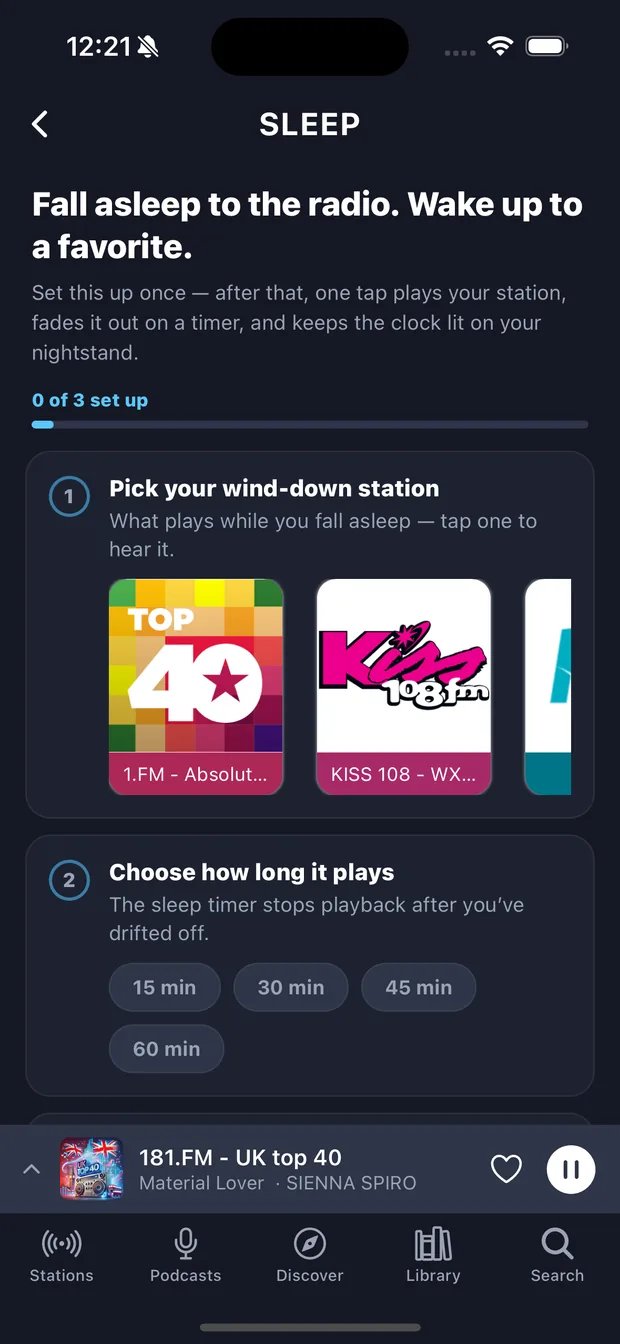
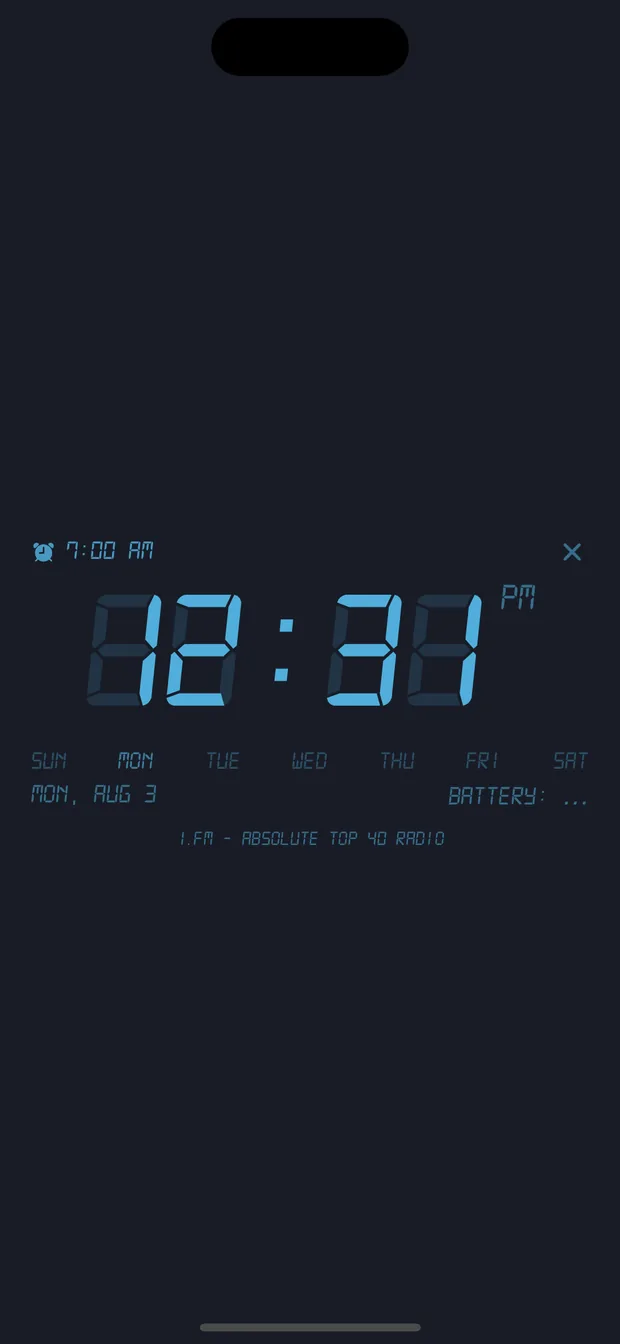
Pick a wind-down station, choose 15, 30, 45, 60 minutes or "end of this episode", and the volume eases down over the final minute rather than cutting out and jolting you awake. The nightstand clock stays lit — and Sleep Mode remembers the alarm that goes with it.
Everything is in the price. Because there's only one price.
No free tier holding features hostage, no "Plus" upsell halfway through a setting screen. You get all of it, and it costs less than three dollars.
The whole dial, sorted properly
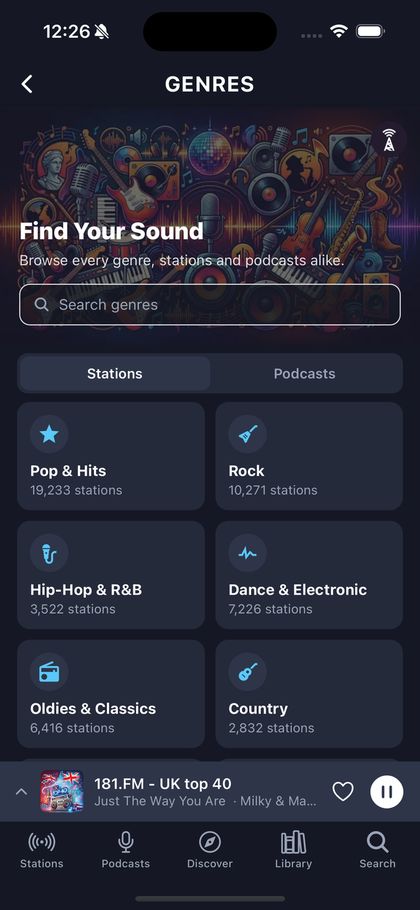
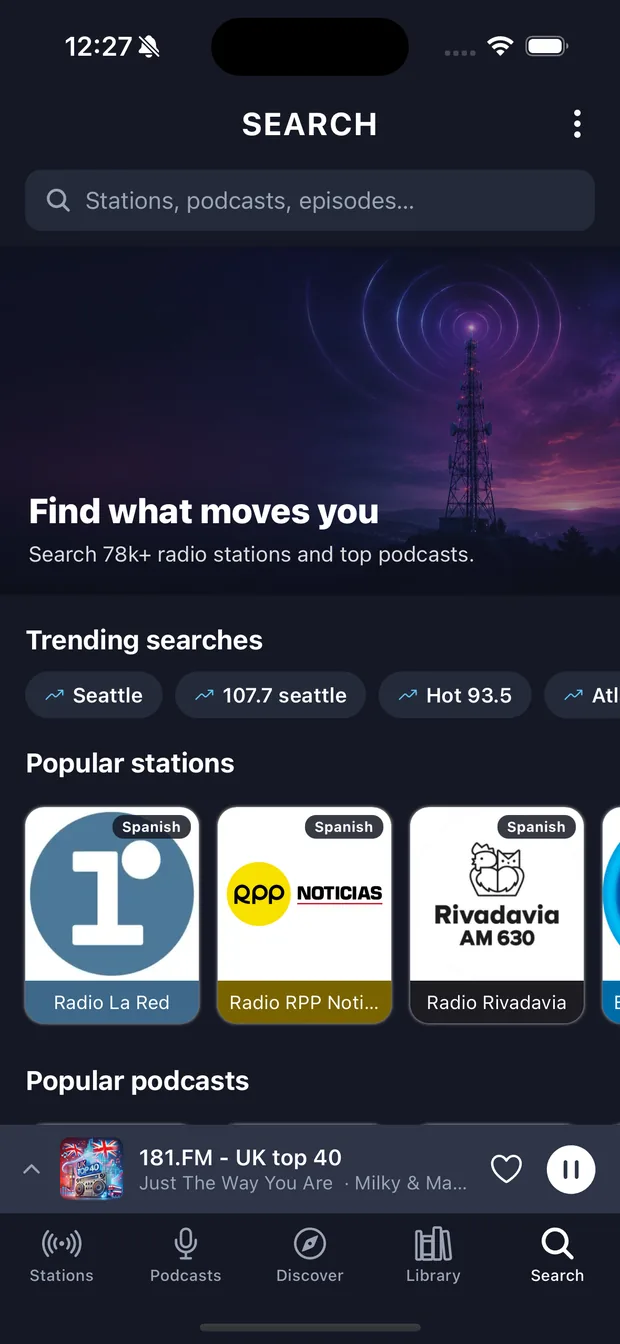
Sixty-four genres, each with thousands of stations behind it — 19,000+ in Pop & Hits alone. Browse by genre, by country, by what's popular near you, or just search: results cover stations, podcasts and individual episodes at once. And the charts are real — the US Top 100 and the World Top 100 are ranked from ratings-body audience data (Nielsen, RAJAR and their peers), and the catalog sorts to match, so the first station you see is the one everyone actually listens to.
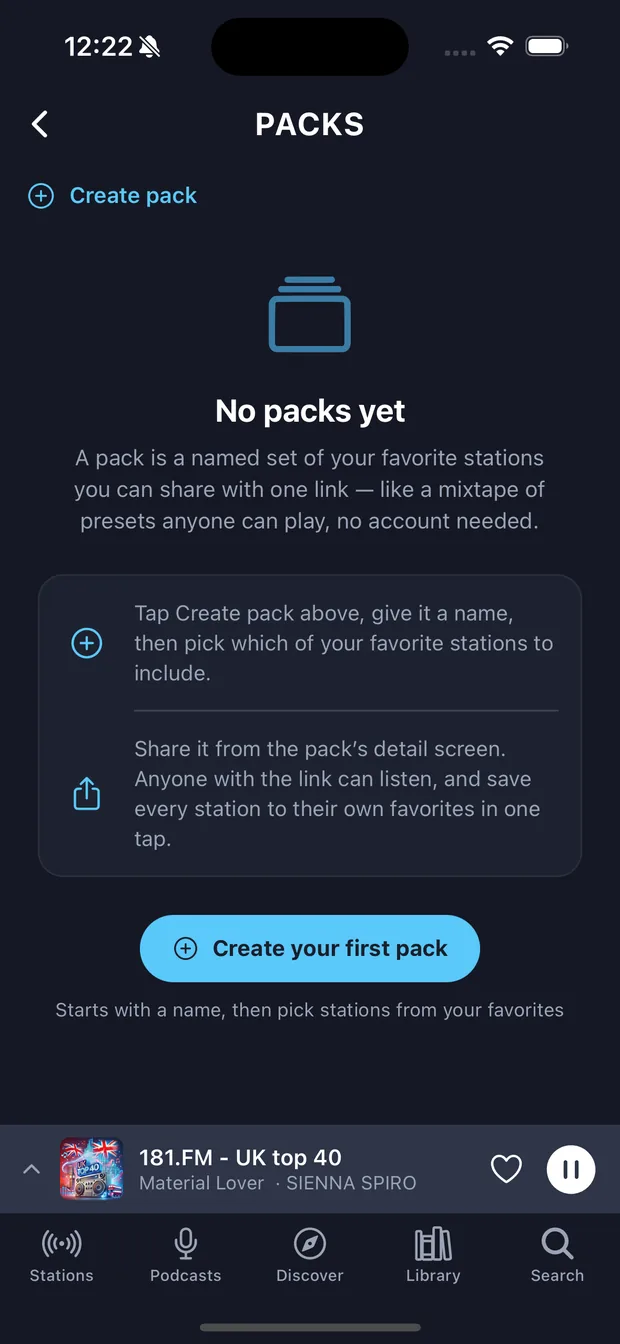
Twelve one-tap slots on the home screen. Bundle your favourites into a named pack and send it to anyone with a link — they can play the whole set without an account.
AirPlay, Chromecast and Sonos, from a native route picker — plus real lock-screen and headphone controls. Wake the kitchen speaker, not just the phone.
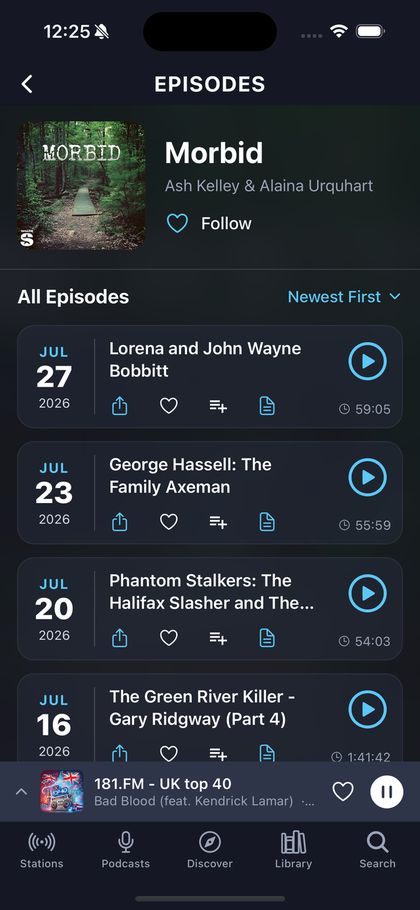
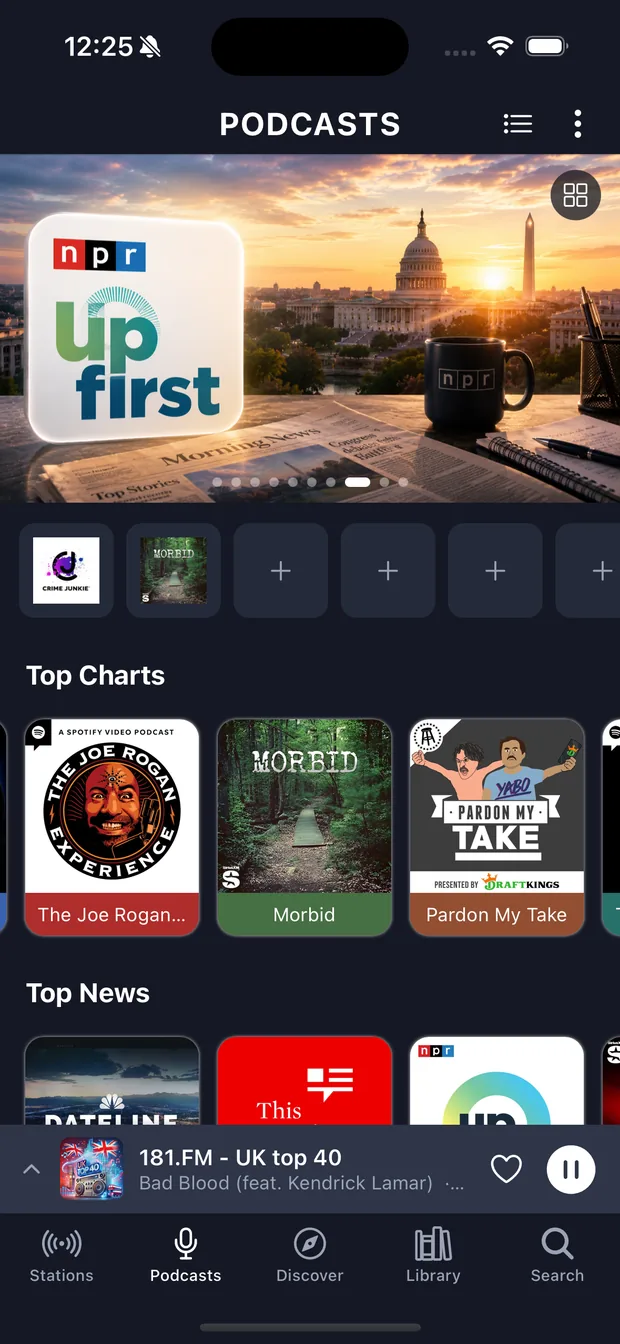
Follow a show and its whole back catalogue is there — with resume positions, playback speed, and episodes that drop into the same queue as everything else. One app for both halves of how you listen.
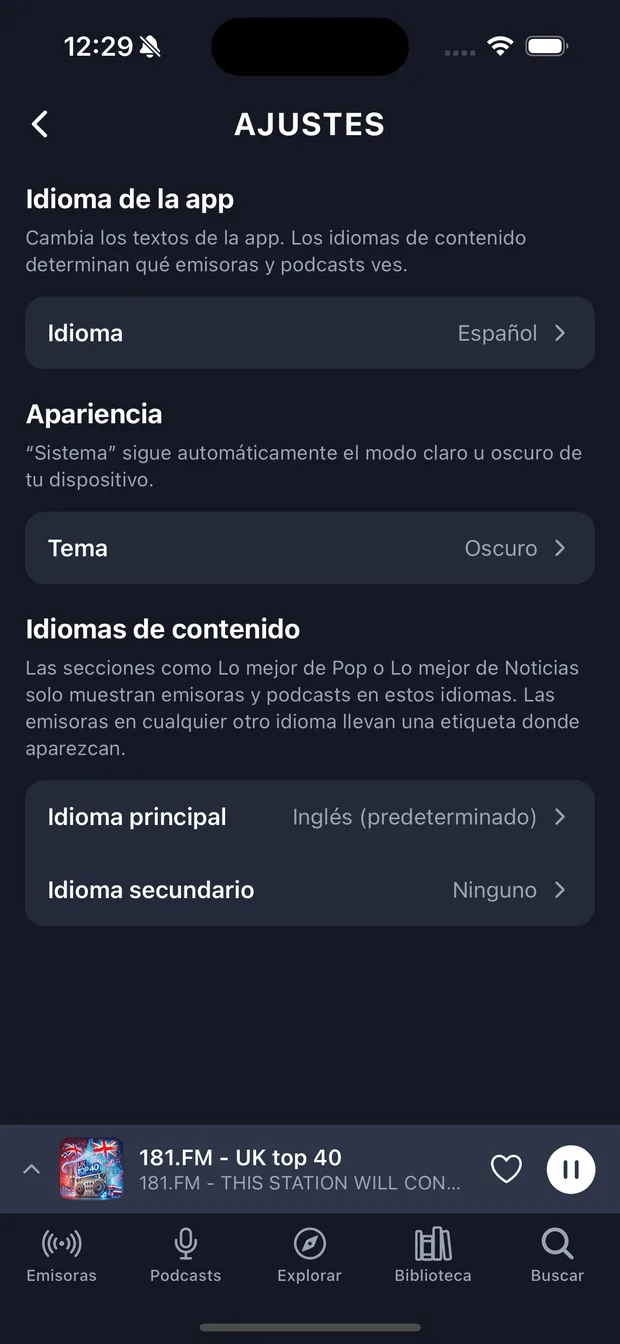
The app itself is translated into ten languages. Separately, you tell it which languages your content should be in, so the shelves fill with stations you can actually understand — or deliberately can't, if you're learning one.
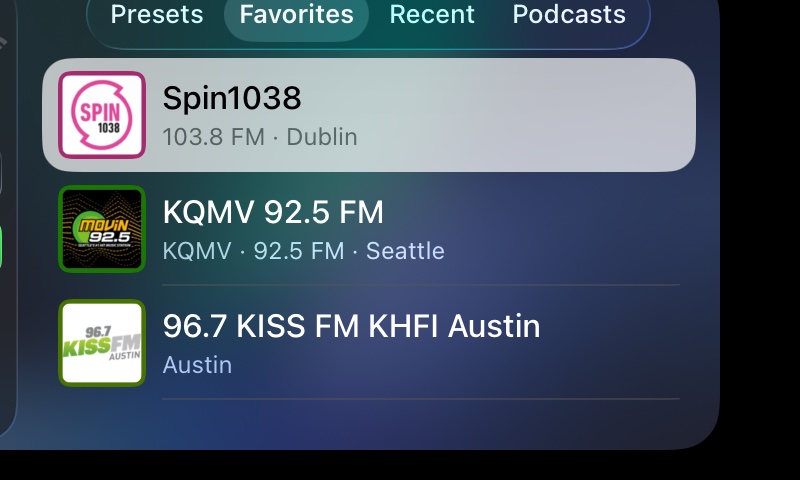
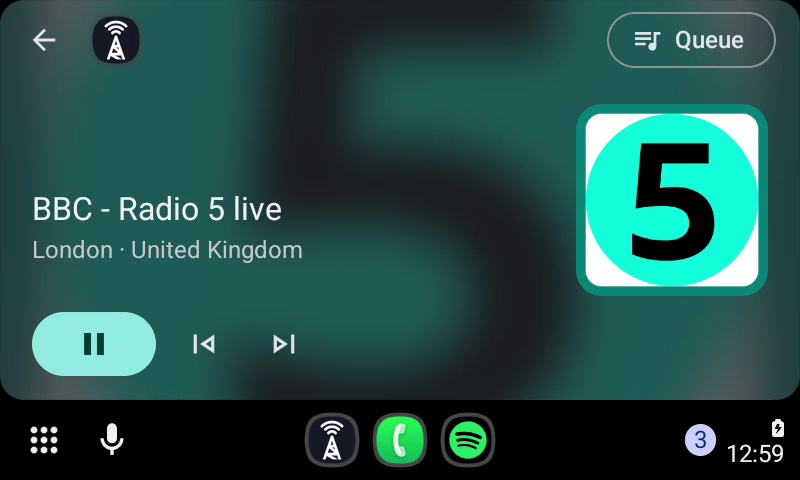
varostream is built in to CarPlay and Android Auto. Get in, connect, and the car's screen has your presets, favourites, recently played, the podcasts you follow and your Up Next queue — every station framed in the same colour it wears in the app, so you find it at a glance. Now Playing shows the song, the artist and the station.
The most hated thing in internet radio is the thirty-second ad between you and the station you asked for. varostream will never play one. That's not a feature we might revisit — it's the reason the subscription exists.
Look around
Dark, dense, and out of the way.
Designed to be read at arm's length on a nightstand and at a glance in a car.
Why pay at all
The catalogue is free. The experience isn't.
Radio streams and podcast feeds are open to anyone — we'd never charge you for access to them. What you're paying for is the layer on top that nobody else builds, minus the ads that pay for the free ones.
varostream $2.99/mo
Free radio apps ad-supported
Premium radio subs around $9.99/mo
Global live radio catalogue
91,000+
Varies
Large
Podcasts in the same player
✓
Sometimes
✓
Wake to a station or a specific episode
✓
—
—
Sleep timer with fade & end-of-episode
✓
Basic at best
Basic at best
Rewind and pause live radio
On ~1,100 stations
—
—
Top 100 charts from real ratings data
US & World
—
—
"What was that song?" history
✓
—
—
Browse by time of day, worldwide
✓
—
—
Audio ads before the station starts
Never
Every tune-in
Varies
Yearly cost
$23.88
Free + your attention
Around $120
Comparison reflects publicly listed features and pricing for the category as of August 2026. Individual apps vary — check the ones you use.
Pricing
One price. All of it.
Try everything for a week. If it hasn't earned a place in your morning by then, cancel and we'll never charge you.
7 days free
$2.99/ month, after the trial
That's $35.88 a year — about a third of what the big premium radio subscription costs, or roughly one coffee a month.
Billed through the App Store or Google Play. Your trial converts to $2.99/month unless you cancel at least 24 hours before it ends; cancel any time from your device's subscription settings. Prices shown in USD — local pricing is set by the store in your region.
Questions
Before you tap install
What do I get during the free trial?
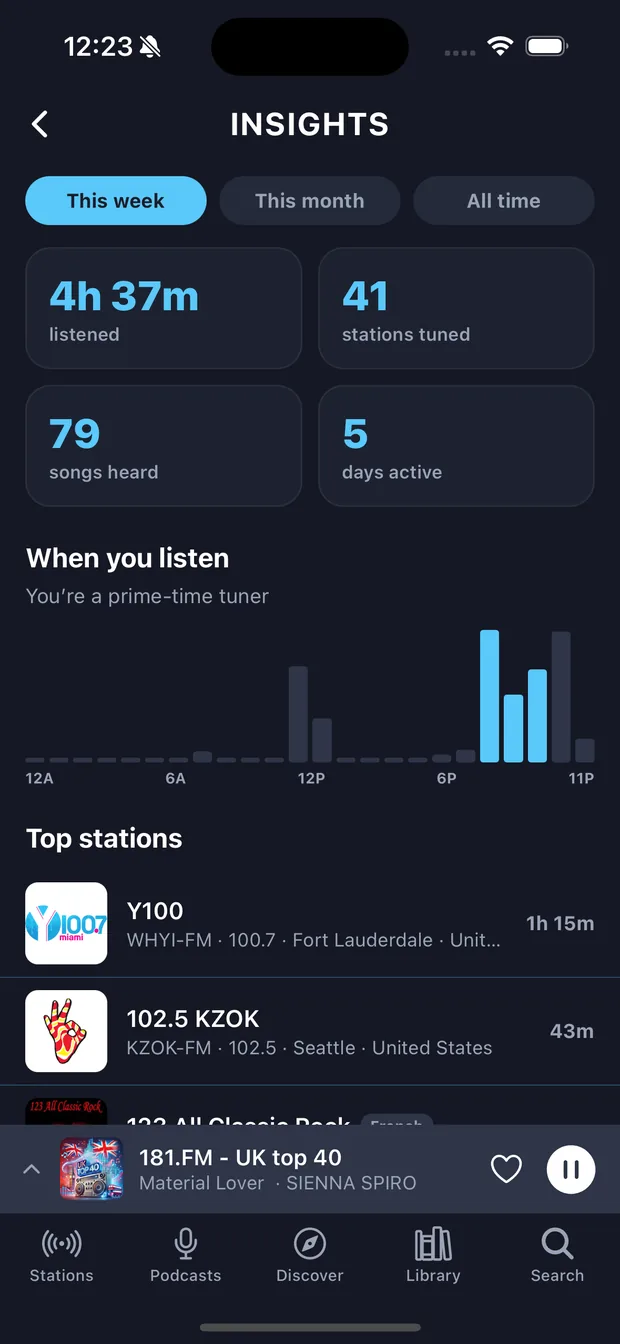
All of it. There's no reduced trial version — alarms, track history, sleep mode, the queue, insights, live rewind where the stream supports it, every station and every podcast. Seven days, then $2.99 a month.
Do I need to create an account?
No. Open the app and start listening — your favourites, queue and history are tied to your device, no email or password required.
How do I cancel?
From your device's own subscription settings — Settings → your name → Subscriptions on iPhone, or Google Play → Payments & subscriptions on Android. Cancel at least 24 hours before the trial ends and you're never charged. We can't take the payment back for you, because we never handled it: the stores do all the billing.
What happens if the stream is down when my alarm goes off?
It still wakes you. varostream verifies the station or downloads the episode the night before, and if the network or the station fails at 7am it falls back to a built-in tone you chose in advance. An alarm that only works when someone else's server is up isn't an alarm.
Can I play it on my speakers?
Yes — AirPlay, Chromecast and Sonos through the system route picker, plus proper lock-screen and headphone controls.
Does it work in the car?
Yes — varostream is built in to both CarPlay and Android Auto. Connect your phone and it's on the car's screen: your presets, favourites, recently played stations, the podcasts you follow and your Up Next queue, with the song, artist and station on the Now Playing screen. Nothing to set up — whatever you've saved on your phone is already there.
Which languages does it speak?
The interface ships in English, Spanish, German, Portuguese, French, Italian, Chinese, Dutch, Greek and Russian. Separately, you can set which languages the content shelves draw from, so you're not scrolling past stations you can't understand — or so you're deliberately immersed in one you're learning.
Does it work offline?
Live radio needs a connection, by definition. Podcast episodes in your queue and alarm targets are fetched ahead of time, so those hold up when the signal doesn't.
Are you going to put ads in later?
No audio ads — not now, not later. The whole reason we charge $2.99 instead of nothing is so the thing between you and your station is silence, not a thirty-second insurance spot.
Can I listen in my browser?
Yes — open the web player and press play. No install, no account, no trial to start. What is not there is the routine: alarms, the sleep fade and live rewind all need the phone.
Why won’t some stations play in my browser?
Around 44% of live stations still broadcast over plain http, and every browser blocks that from a secure page — a rule we cannot opt out of and would not want to. Those stations play fine in the app, which is not bound by it. We are steadily moving the catalogue onto secure streams; the ones people search for by name are the first priority.
Why can’t I rewind every station?
Live rewind needs the station’s stream to carry a rewindable buffer, and most radio streams simply don’t — about 1,100 stations in the catalog do today. Where it works, you can pause the broadcast and skip back; everywhere else the transport stays live-only, and the app marks the stations that support it with a Rewind tag.
Do my favourites sync between the browser and the app?
Once you sign in, yes — the same library on both. Until then a browser library belongs to that browser and the app’s belongs to your phone, because neither one has been told they are the same person. Signing in is what links them, and it takes an email address and nothing else.
Tomorrow morning, wake up to something you actually like.
Seven days free. Then $2.99 a month, for the whole world's radio.