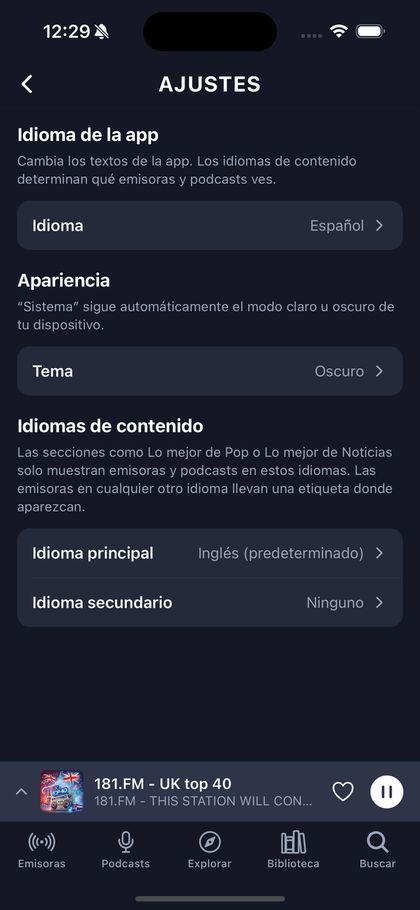
Two language settings, and why they are separate
Almost every app conflates these. If you set an app to Spanish it assumes you only want Spanish content — which is wrong for anyone bilingual, wrong for anyone learning a language, and wrong for anyone who just wants the buttons in their own language while listening to the world.
Set the interface language
The picker in the header changes the site's own words. Ten languages ship: English, Spanish, German, Portuguese, French, Italian, Chinese, Dutch, Greek and Russian.
Set your content languages separately
In Settings, content languages decide which stations reach your shelves. Pick several. Pick one you are learning. They are independent of the interface setting on purpose.
Know what unset means
If you have never chosen, no language filter is applied at all — your shelves include everything. That is different from having chosen every language, and Settings says so, because otherwise picking the value already shown appears to do nothing while actually changing what you see.